How to Set Up Automatic Truck Tracking on WhatsApp
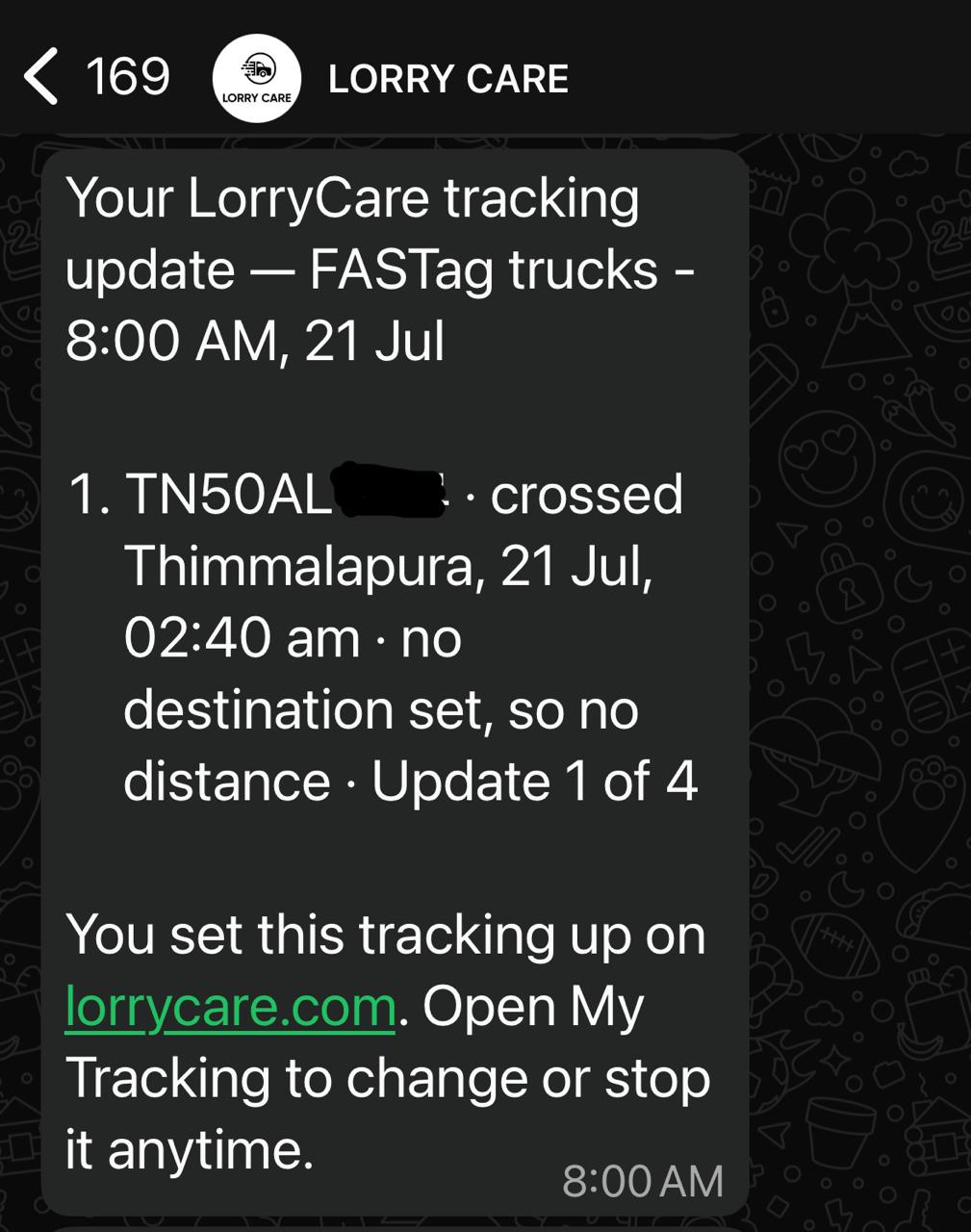
Get your truck’s location on WhatsApp automatically — without calling the driver and without installing any GPS device. LorryCare tracks the vehicle through its FASTag toll crossings and sends you updates as often as you choose: once a day, every hour, or LIVE within ~10 minutes of every toll crossing — with halt & deviation alerts if you want them.
 Start Tracking Free →
Register free • Get 10 credits • No credit card required
What you need before you start
- ✅ A LorryCare account — free, takes 60 seconds, only your mobile number needed
- ✅ Nothing to pay for your first tracking — new users get 10 free credits on signup and a FREE 24-hour tracking pass (4-hourly updates with alerts included)
- ✅ The vehicle number you want to track (e.g. MH12AB1234)
- ✅ The vehicle must have an active FASTag — almost every commercial vehicle does
LorryCare is for tracking vehicles you own, operate, or have business dealings with — your fleet, your hired trucks, your consignments.
Step-by-step setup (30 seconds)
STEP 1
Search the vehicle
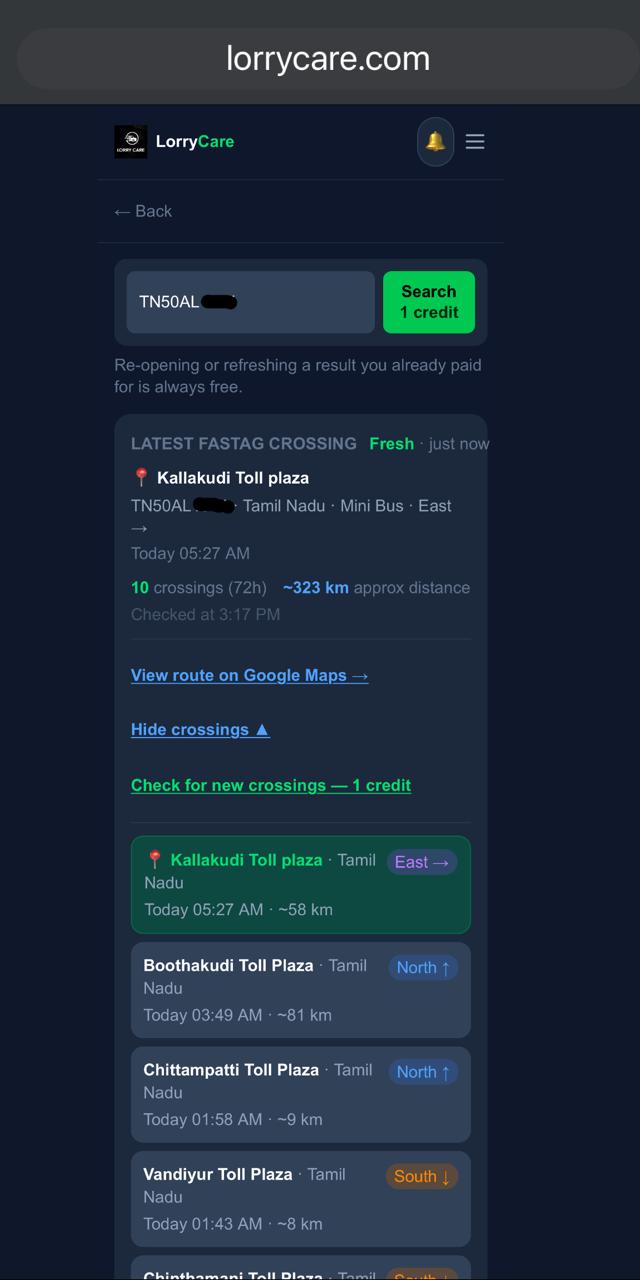
Log in at lorrycare.com and type the vehicle number in the search box. You will see its recent toll crossings on the result page.
STEP 2
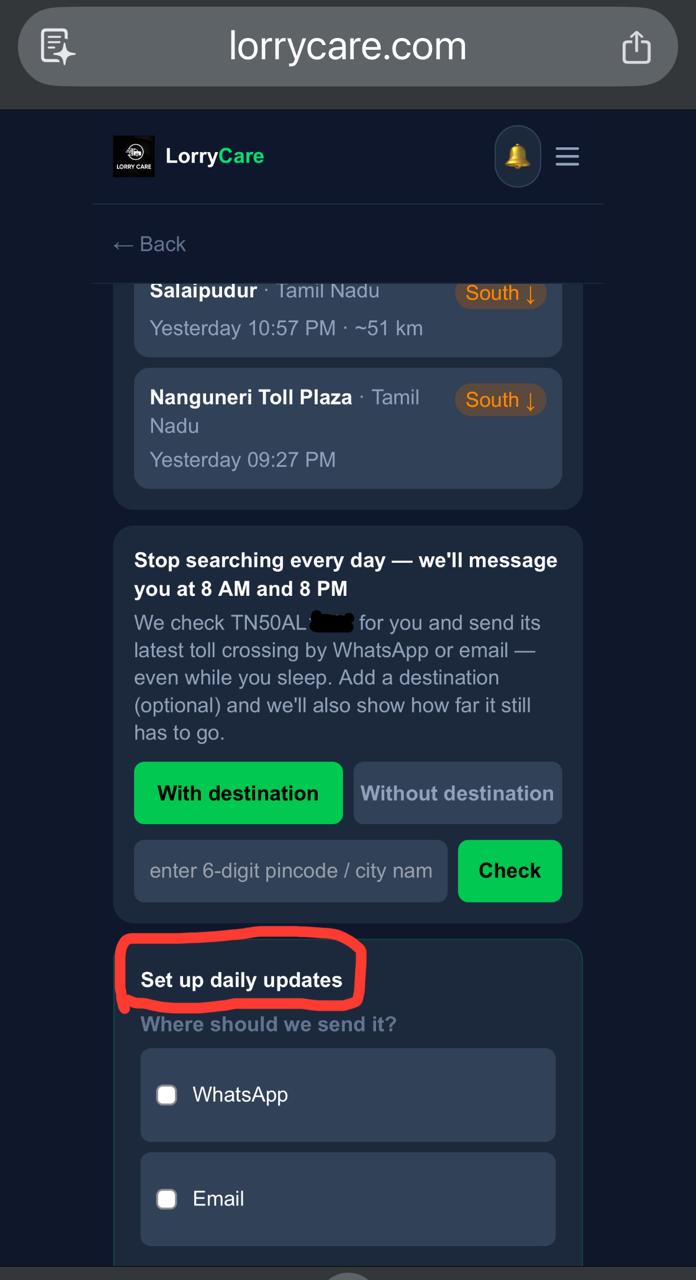
Tap “Setup Auto-tracking for a truck”
The green setup section is right on the result page, below the crossings. Your first tracking runs on the free 24-hour pass — no credits needed.
STEP 3
Choose your plan
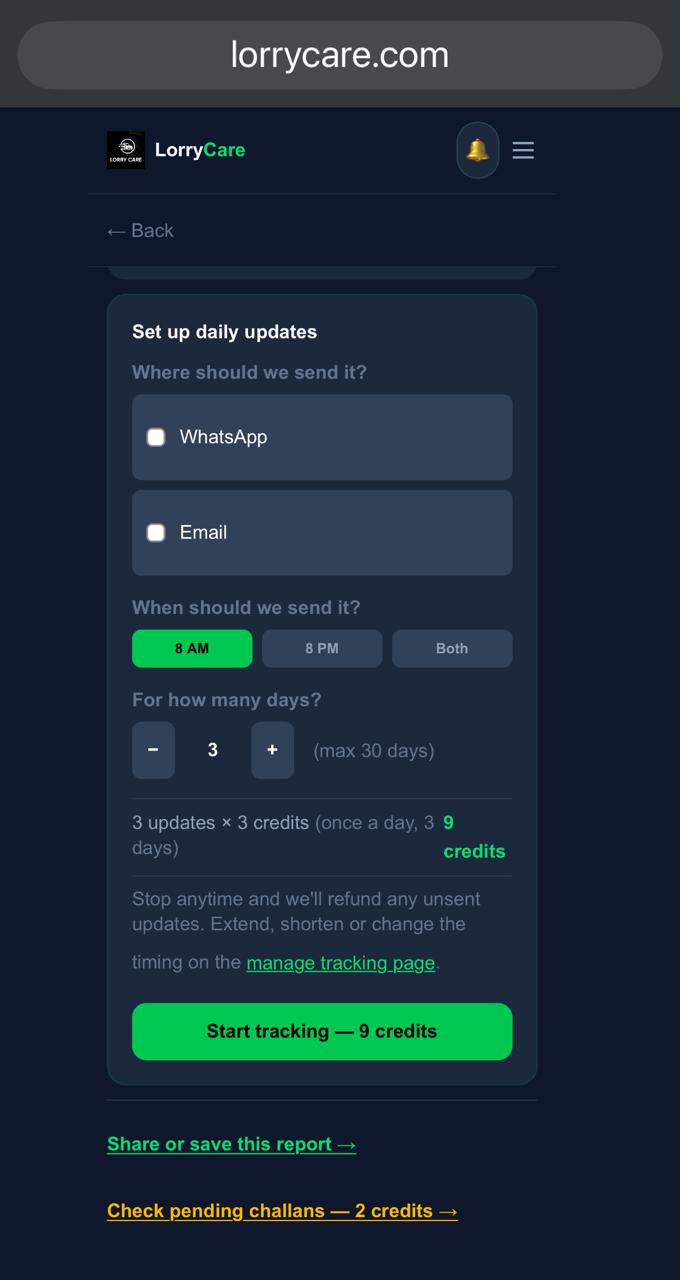
- • How often: once a day, twice, every 6/4/2 hours, every hour, every 30 minutes — or LIVE, a message within ~10 minutes of every toll crossing.
- • Silent night: tick it and updates pause between 11 PM and 5 AM — and the plan costs less.
- • Alerts: add halt & deviation alerts — free on 2-hourly and faster plans.
- • For how many days: pick the number of days your trip needs (up to 30).
STEP 4
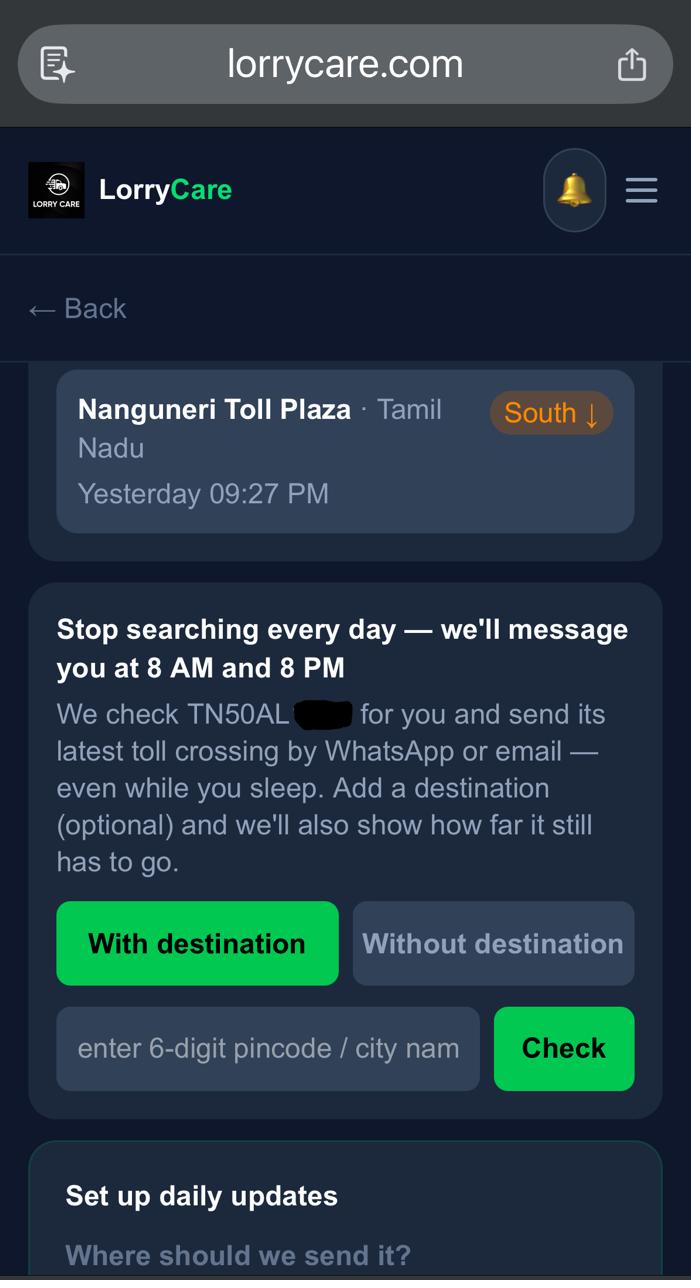
Destination (optional)
Add the destination city or pincode and every update will also tell you the remaining road distance (“250 km to Pune”). Skip it and you still get the truck’s position — the price is the same either way.
STEP 5
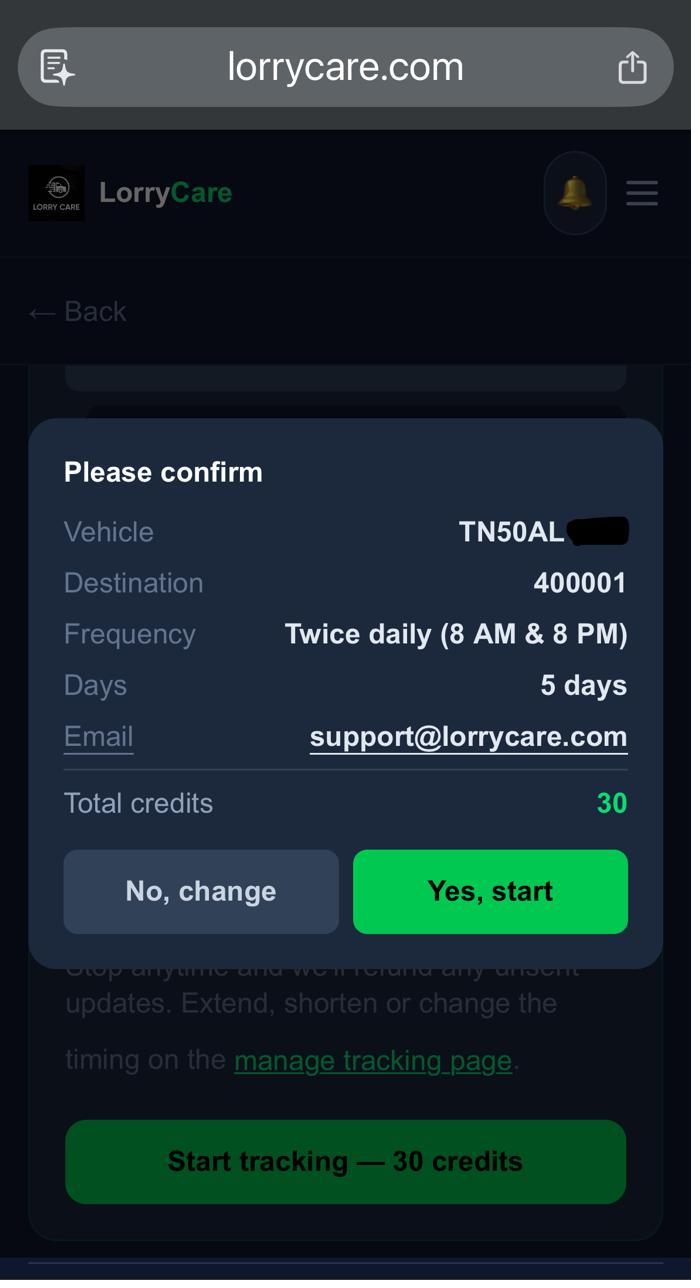
Confirm
The screen shows the exact total before you confirm — pricing is per day, per vehicle. Example: hourly updates with silent night cost 22 credits/day, so a 3-day trip is 66 credits. Your free 24-hour pass makes the first tracking cost nothing.
STEP 6
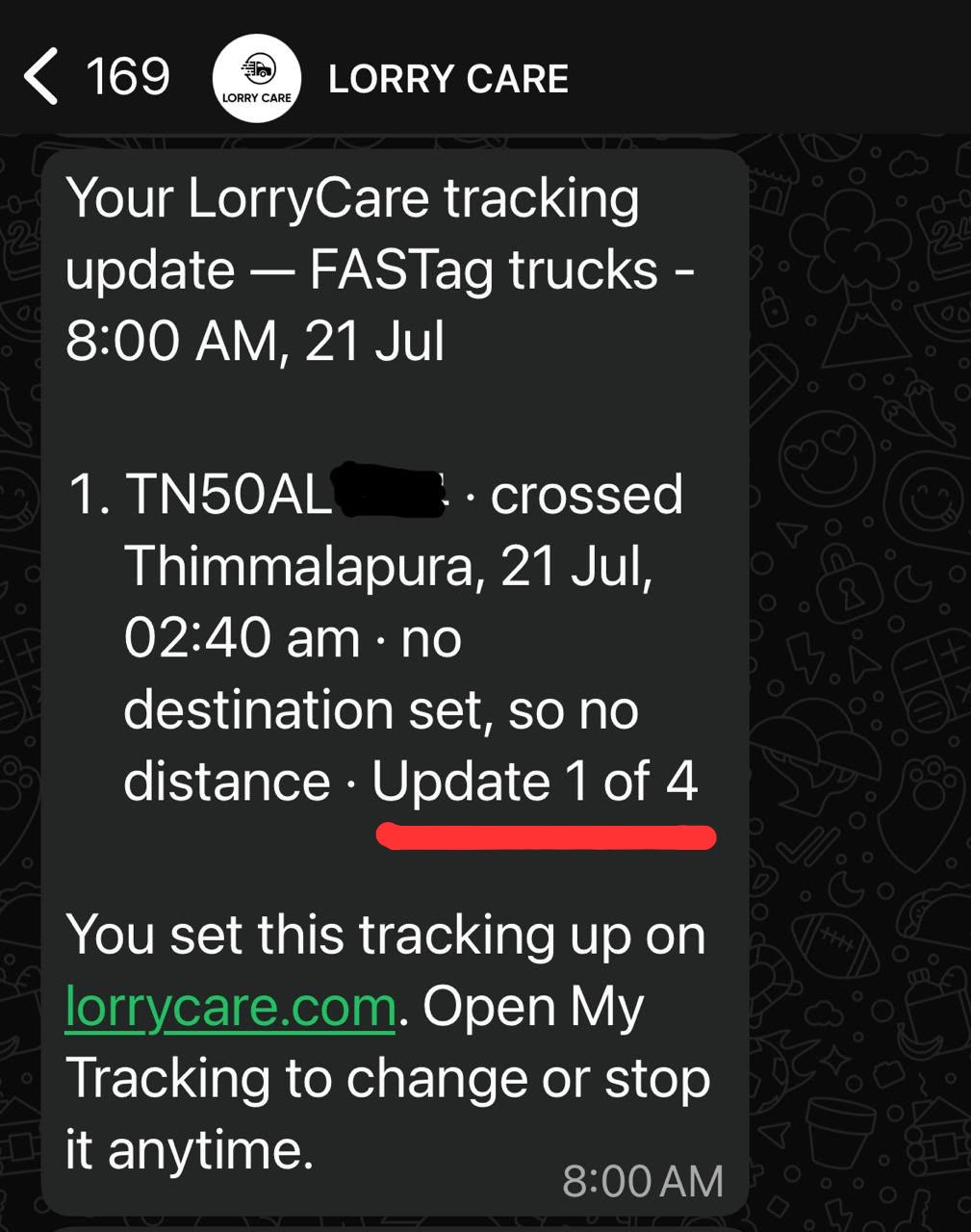
Done. The updates come to you
Every update shows the latest toll crossed, the time, a Google Maps location pin, and the distance left if you set a destination — with the day counter so you always know where the schedule stands.
Changing your mind costs nothing extra
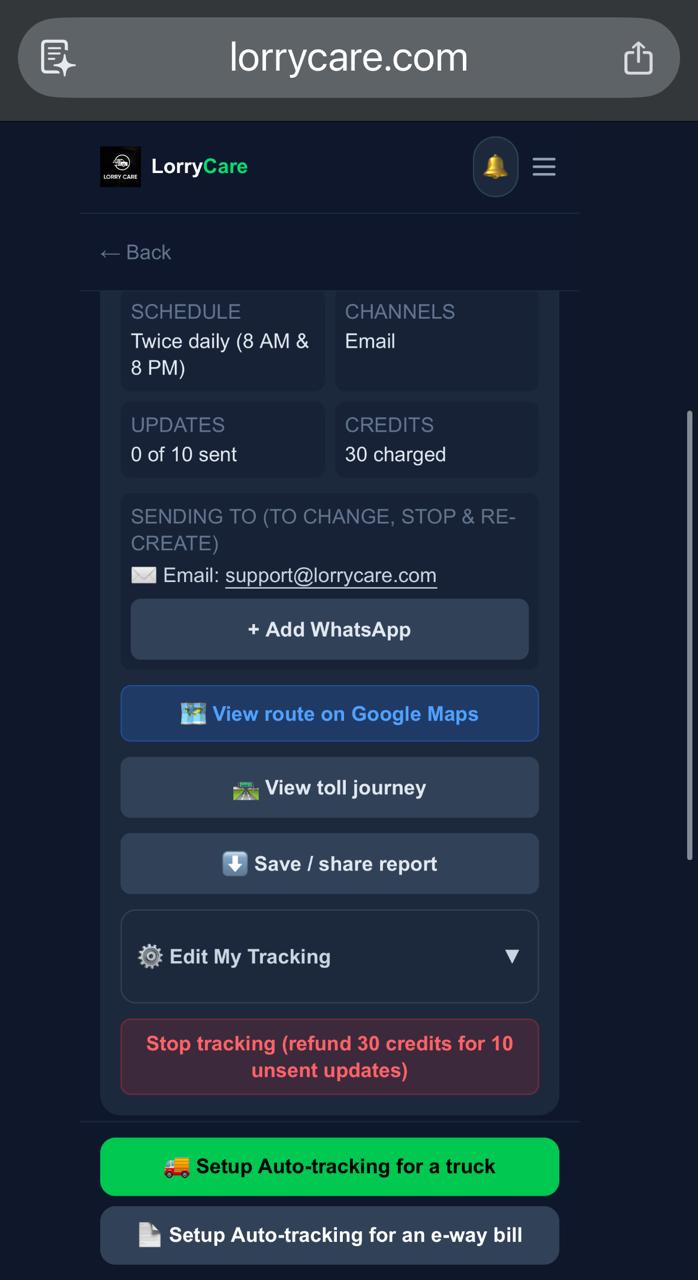
Stop the tracking anytime from My Tracking — the truck arrived early, plans changed, no problem. Unused full days come back to your wallet immediately, and a day only counts as used after its second update goes out. The exact refund is shown before you confirm the stop. You can also change the plan, days, alerts or destination anytime from the same screen.
Frequently asked questions
Does the truck need a GPS device?
No. Tracking works through the vehicle’s FASTag — every toll it crosses reports its position. Nothing to install, no driver app, no SIM.
What if the truck hasn’t crossed a toll since the last update?
Your update still arrives on schedule, showing the last position on record and when it was crossed, with an honest note that no newer crossing was reported on the FASTag network — the truck may be off-highway or its FASTag was not read. It counts as a normal update, so you always know the latest known status.
Can I track a truck that isn’t mine?
LorryCare is for vehicles you own, operate, or have business dealings with — for example a hired truck carrying your consignment.
How often can I get updates?
You choose the plan: once a day (3 credits/day), twice a day (6), every 6 hours (10), every 4 hours (13), every 2 hours (20), every hour (30), every 30 minutes (48), or LIVE — a WhatsApp message within about 10 minutes of every toll crossing (100/day). Silent-night versions cost less and stay quiet between 11 PM and 5 AM.
What are halt and deviation alerts?
A halt alert tells you when the truck has not crossed any toll for the number of hours you set, and repeats until it moves. A deviation alert fires when the truck crosses a toll but the distance to your destination did not reduce. Alerts are free on 2-hourly and faster plans, +6/day on 6-hourly and 4-hourly plans.
Is the first tracking really free?
Yes. Every user gets one free 24-hour pass — 4-hourly updates with alerts included, at zero cost. It is waiting in your account; one pass per mobile number, ever.
Can my client or consignee also see the tracking?
Yes — you can share the ongoing tracking with your consignee or client from the My Tracking screen.
What does it cost in rupees?
Credits start at ₹99 for 110 credits. Example: hourly updates with silent night cost 22 credits per day — a 3-day trip is 66 credits, about ₹60.
Trusted by 10,000+ transporters, fleet owners and logistics teams across India