
How to Check a Vehicle’s Location Using Its Number
Type any commercial vehicle’s number and see where it last crossed a toll — plaza name, exact time, and direction of travel — using official Government FASTag data. One search costs 1 credit; your 10 free welcome credits cover your first 10 searches.
Track a Vehicle Free →Register free • Get 10 credits • No credit card required
Step-by-step search
STEP 1
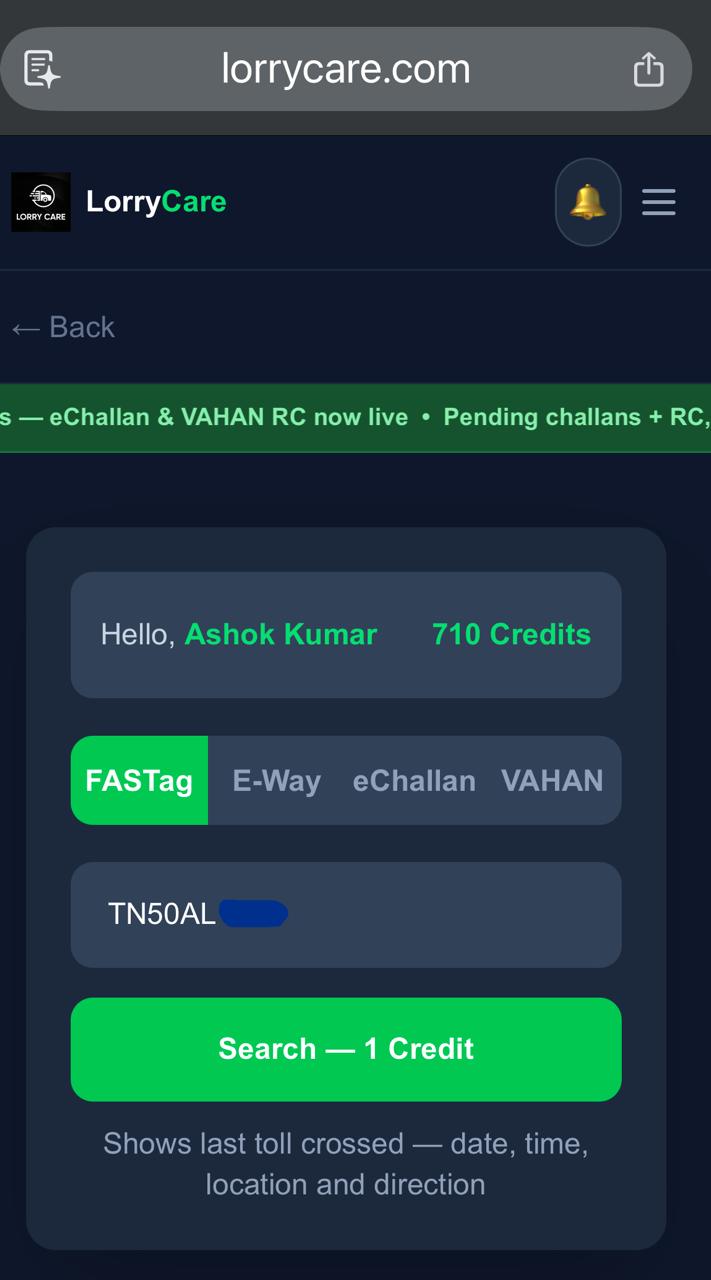
Type the vehicle number and search
On the FASTag tab, enter the number (e.g. MH12AB1234) and tap Search — 1 credit. Re-opening a result you already paid for is always free.
STEP 2
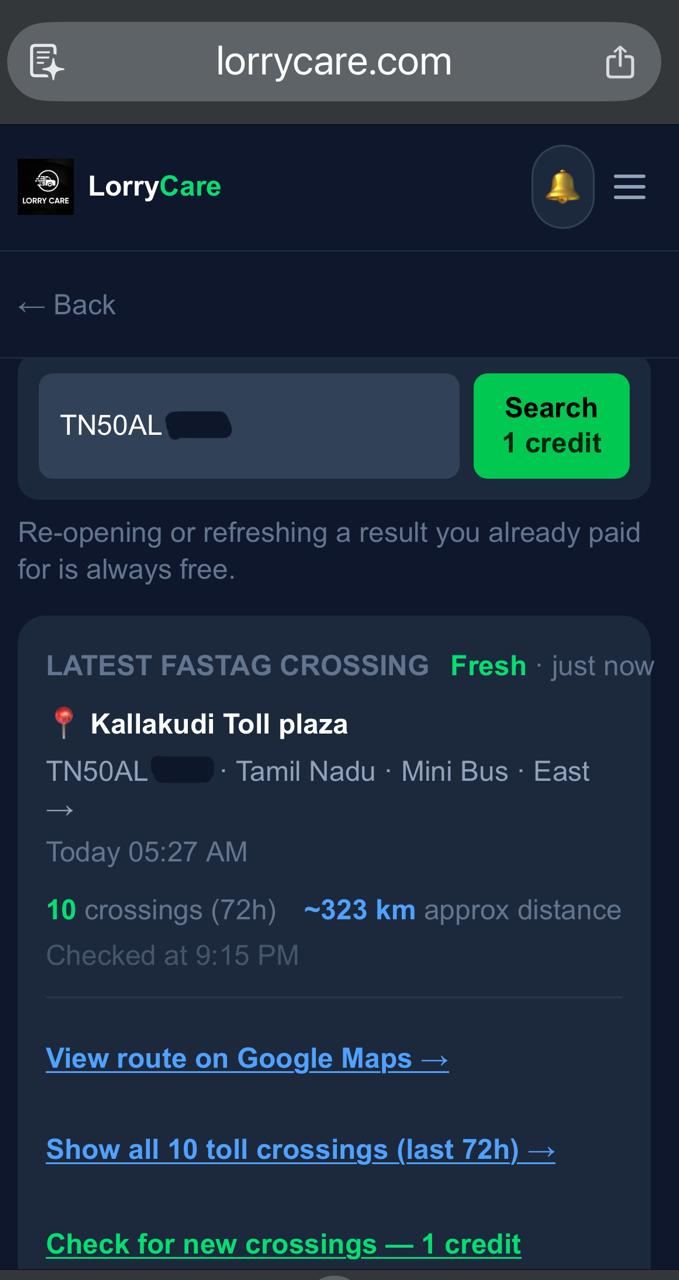
Read the latest crossing
The newest crossing sits on top: toll plaza, state, time, vehicle type and direction — plus how many crossings in the last 72 hours and the approximate distance covered.
STEP 3
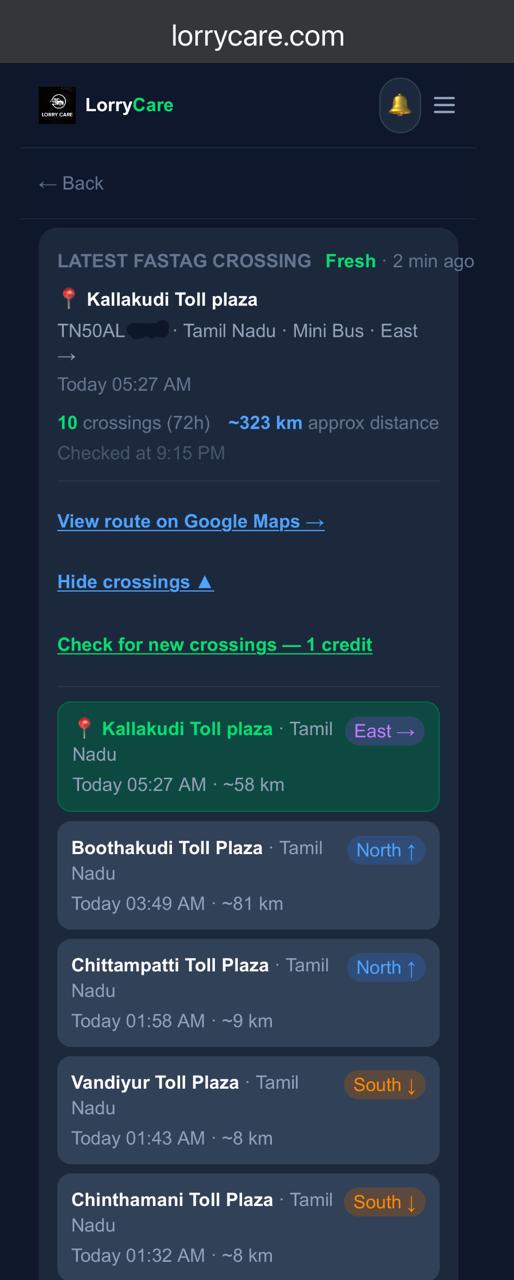
Expand the full journey
Tap “Show all toll crossings” to see the recent journey — every crossing from the last 3 days with direction and the distance between crossings. “Check for new crossings — 1 credit” refreshes for anything newer.
STEP 4
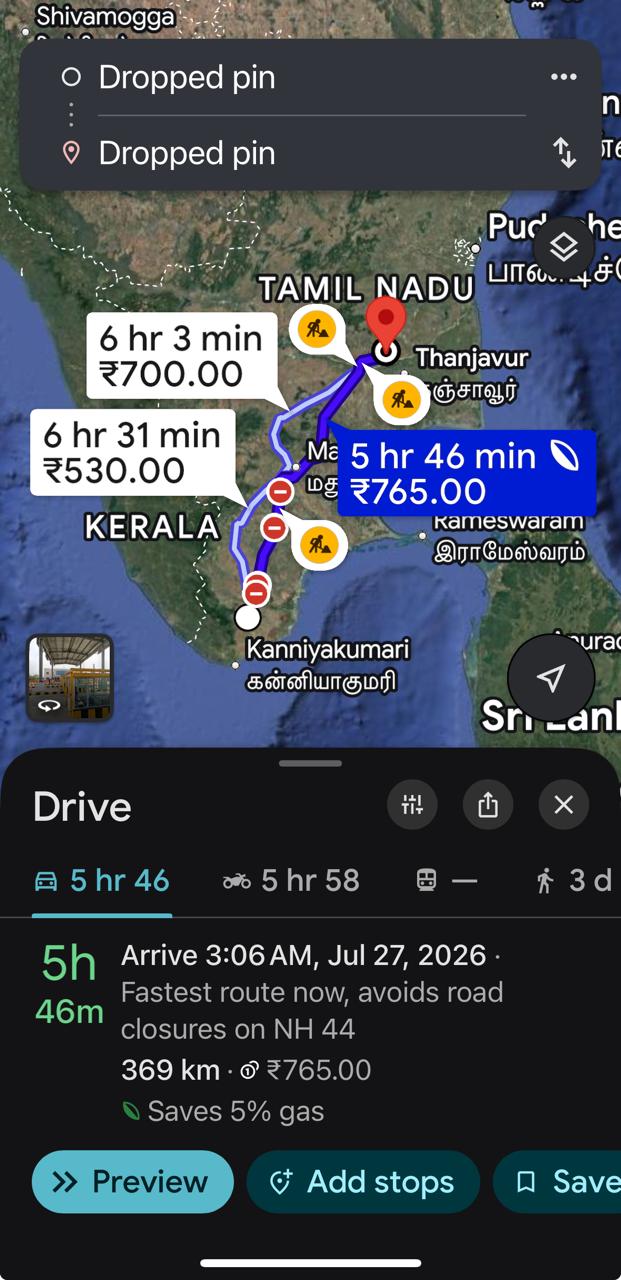
See it on the map
Tap “View route on Google Maps” — the toll opens pinned on the map, ready to share with your team or plan the delivery.
Frequently asked questions
Which vehicles can be found?
Any vehicle with an active FASTag — mandatory for commercial vehicles in India.
Is this GPS tracking?
No — it is official toll-crossing data: you see crossing events, not a continuous moving dot. Nothing to install, no driver app, no SIM.
The vehicle shows no crossings?
It may not have crossed a toll in the last 3 days — off-highway, parked, or running locally.
Tired of searching every day?
Set up automatic tracking once and updates come to your WhatsApp morning and evening — see the guide below.
Trusted by 10,000+ transporters, fleet owners and logistics teams across India