How to Manage Your Tracking — Edit, Share, Stop, Download
Every tracking you set up stays fully in your control from My Tracking: change the schedule, share it with your client, download the journey — or stop it and get every unsent update refunded instantly. You only ever pay for updates actually sent.
Open LorryCare →Register free • Get 10 credits • No credit card required
Everything you can do, step by step
STEP 1
Open My Tracking
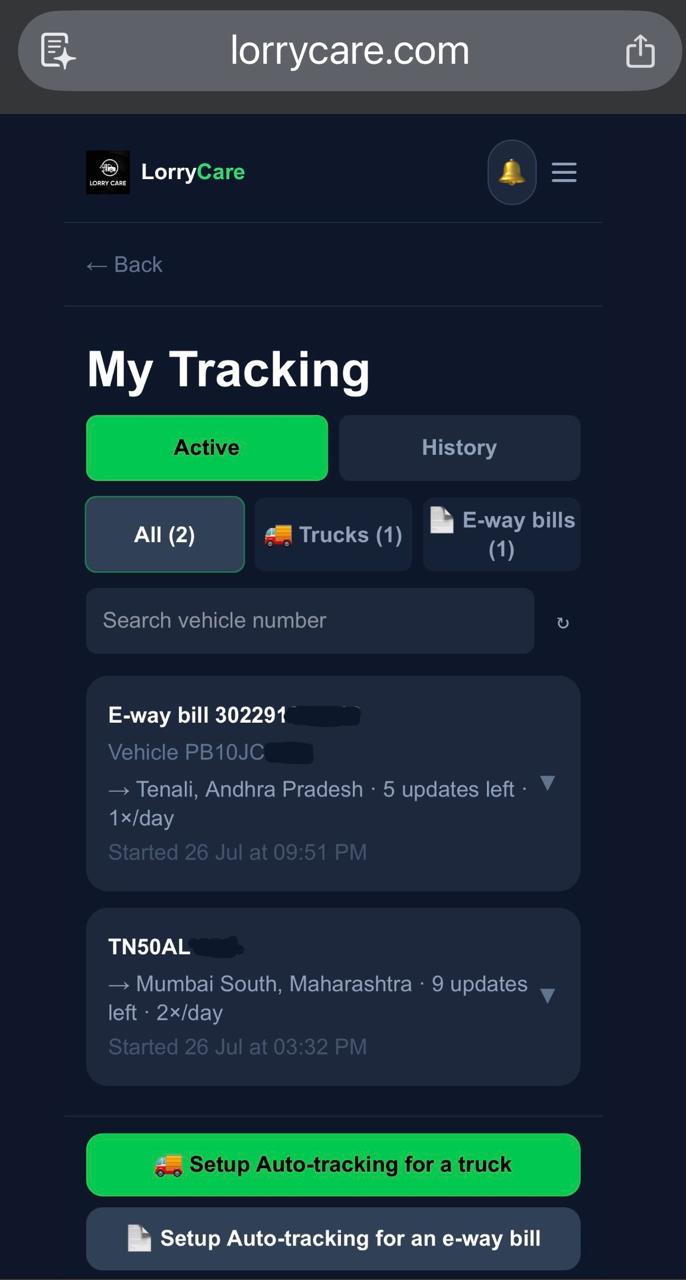
Menu → Manage Tracking. Active trackings show at a glance — trucks and ewaybills, destination, updates left, frequency.
STEP 2
Edit the schedule — with fair refunds built in
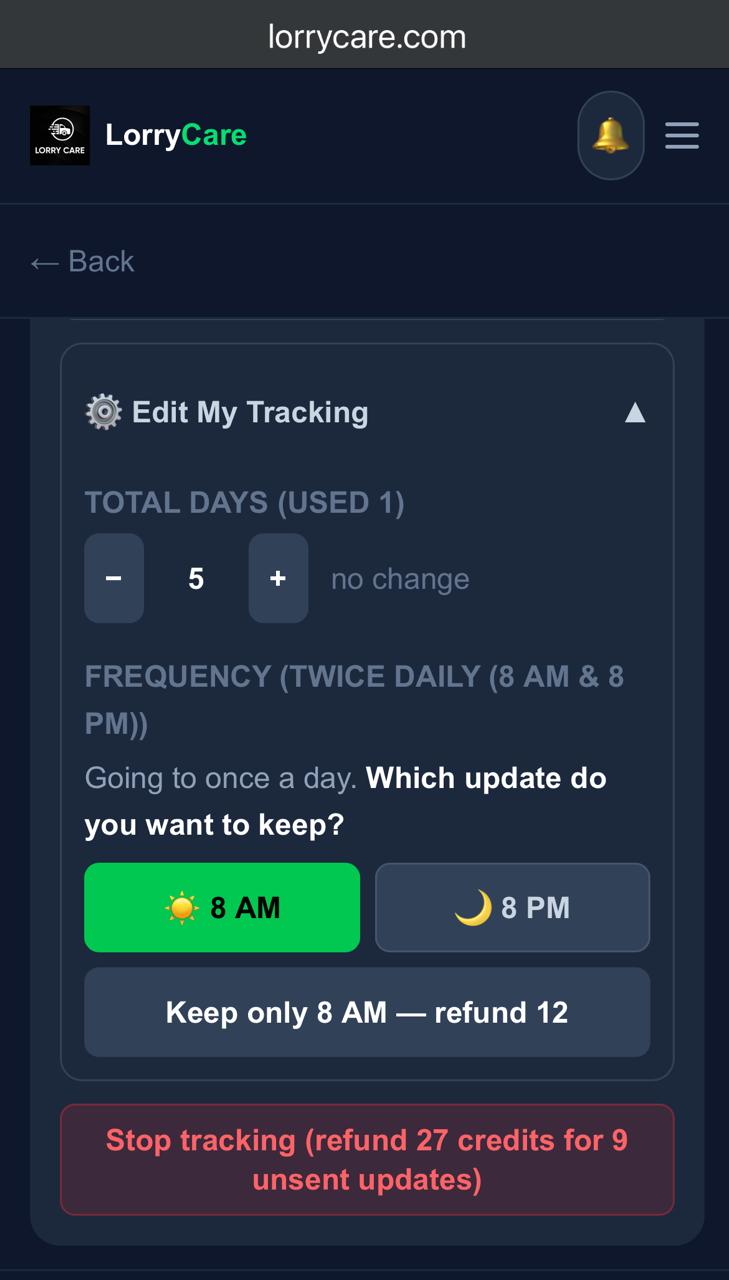
Edit My Tracking lets you extend or shorten the days, and switch frequency. Going from twice daily to once? Choose which slot to keep — and the difference comes back instantly (the button says it plainly: “Keep only 8 AM — refund 12”).
STEP 3
Stop anytime — instant refund
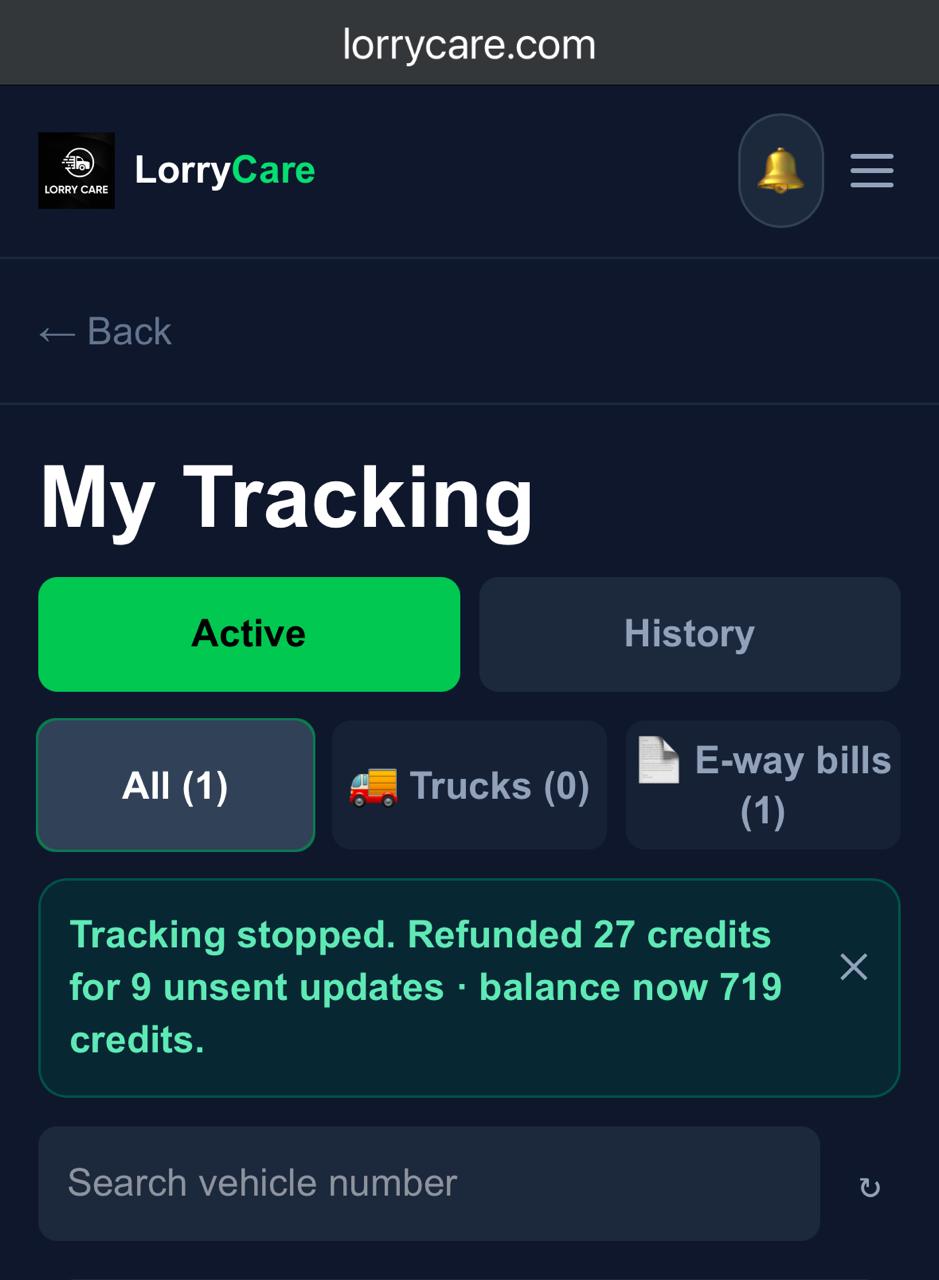
The Stop button states the exact refund before you confirm. One tap, and it is done.
STEP 4
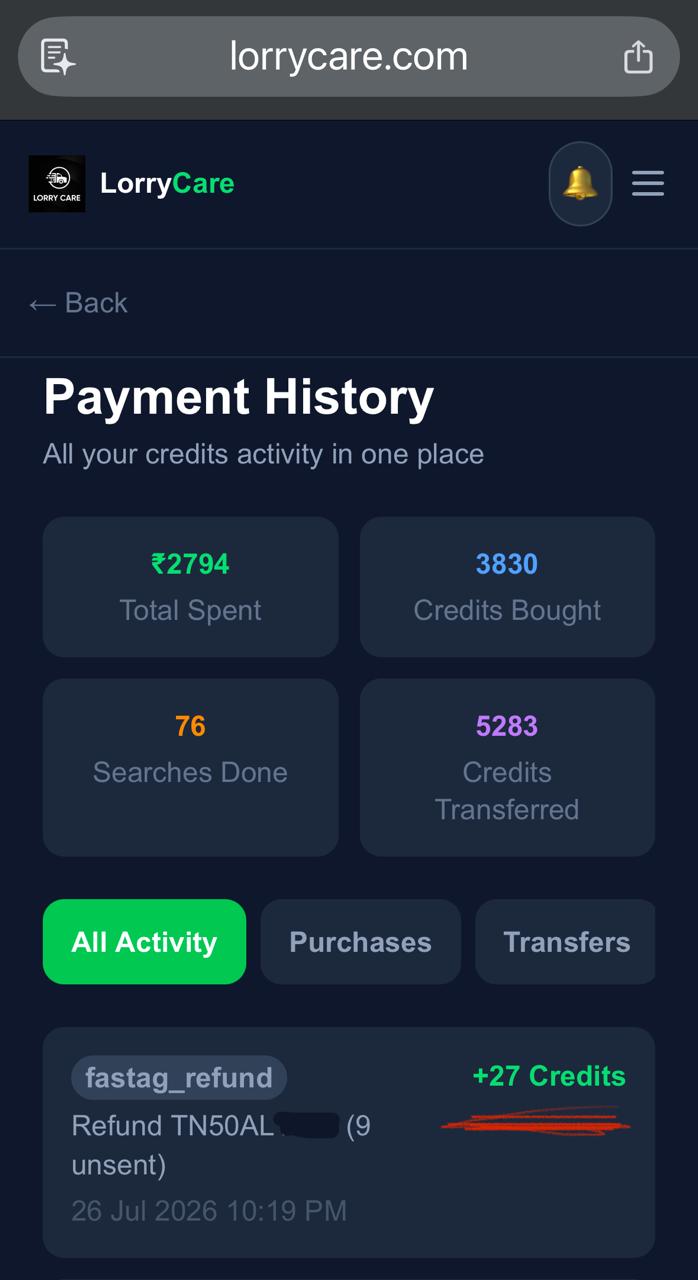
Every refund is on the record
Open Payment History and the refund sits there as its own entry — your complete credit trail in one place.
STEP 5
Share the tracking with your consignee or client
No screenshot needed — because it is even simpler: enter your consignee’s WhatsApp number or email as a delivery channel when setting up (or add a second channel anytime mid-way), and the updates flow to them directly. They do not need a LorryCare account.
Want to change a channel instead of adding one? Stop the tracking (unsent updates refund automatically) and restart with the new channel — the journey already captured carries forward into the new tracking.
STEP 6
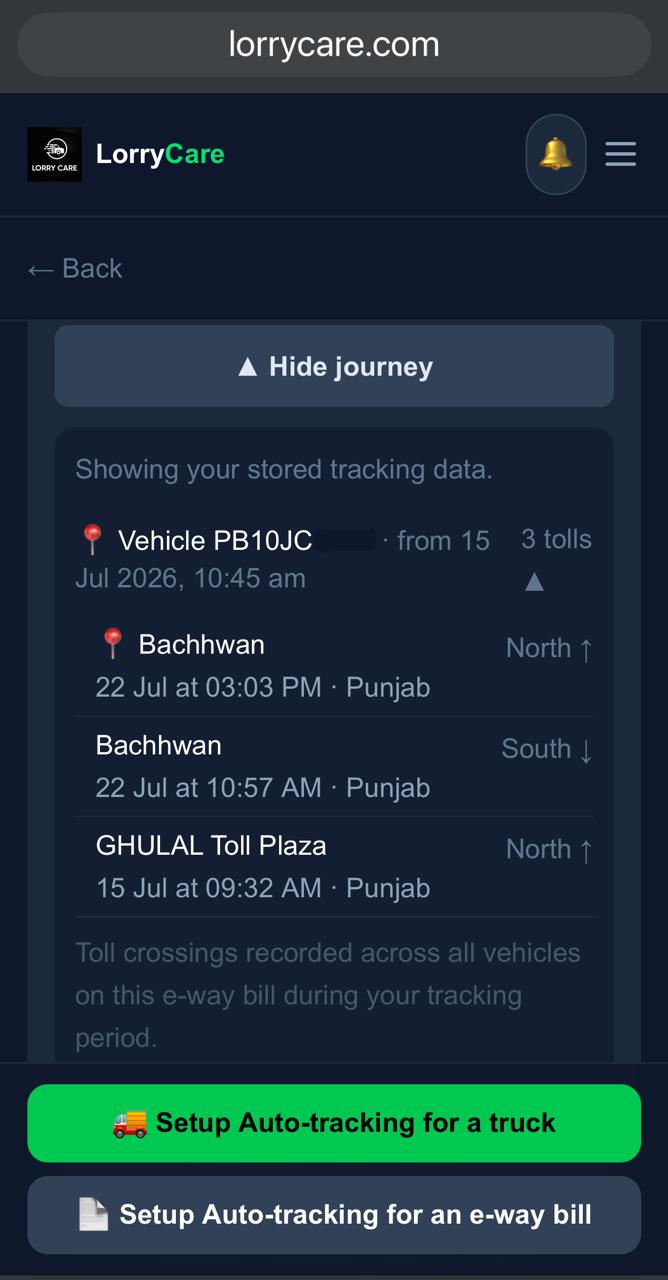
See the whole journey
View toll journey lists every crossing recorded during your tracking — across all vehicles on the bill, if the truck changed.
STEP 7
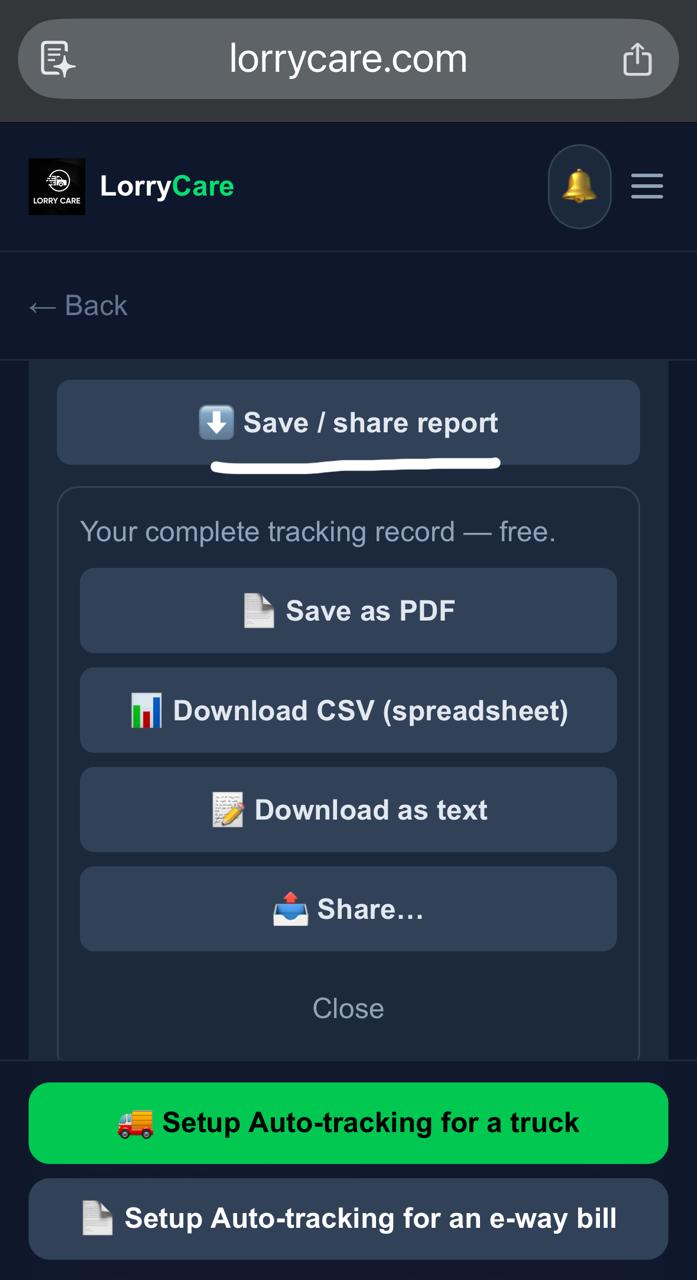
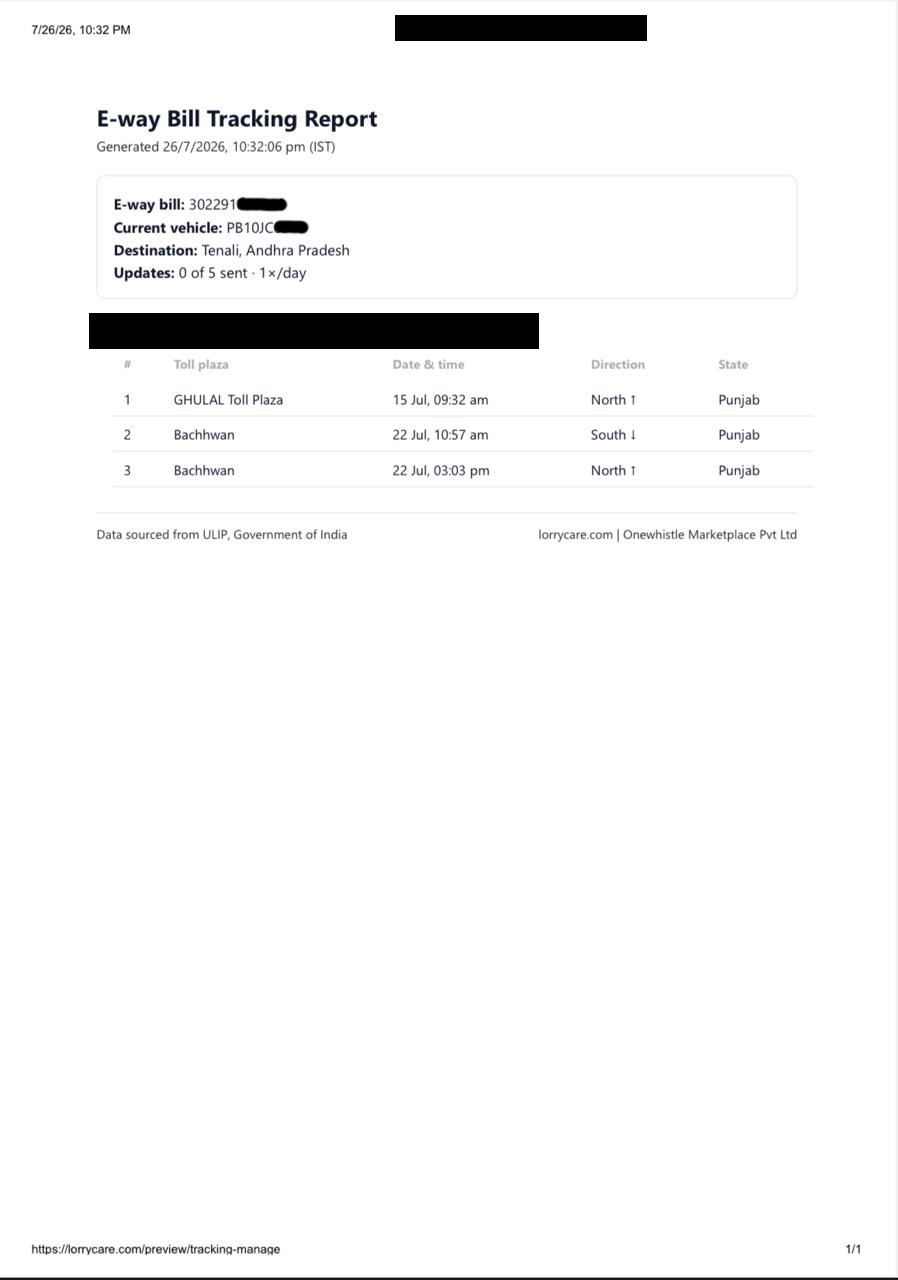
Download or share the report — free
Save / share report gives your complete tracking record as PDF, CSV spreadsheet or text — or share it straight from the phone. A clean document for your files or your client.
Frequently asked questions
How much do I get back on stopping?
All unsent updates × 3 credits — the exact figure is shown on the button before you confirm, and it is refunded instantly.
Can I add or change the delivery channel mid-way?
You can ADD a second channel (WhatsApp or email) anytime. To CHANGE a channel, stop the tracking — unsent updates refund automatically — and restart with the new channel; your captured journey carries forward.
Does my consignee need a LorryCare account?
No — enter their WhatsApp number or email as a channel and updates reach them directly.
Need a position between scheduled updates?
Use “Fetch latest toll crossing — 1 credit” on the manage screen — and if nothing newer is found, no credit is used.
Trusted by 10,000+ transporters, fleet owners and logistics teams across India