How to Check an Ewaybill — Status, Validity, Vehicle
Check any Ewaybill in seconds without logging into the GST portal — status, validity date, vehicle number and route, straight from official ULIP Government data. One check costs 2 credits; your 10 free welcome credits cover 5 checks.
Check an Ewaybill →Register free • Get 10 credits • No credit card required
Step-by-step check
STEP 1
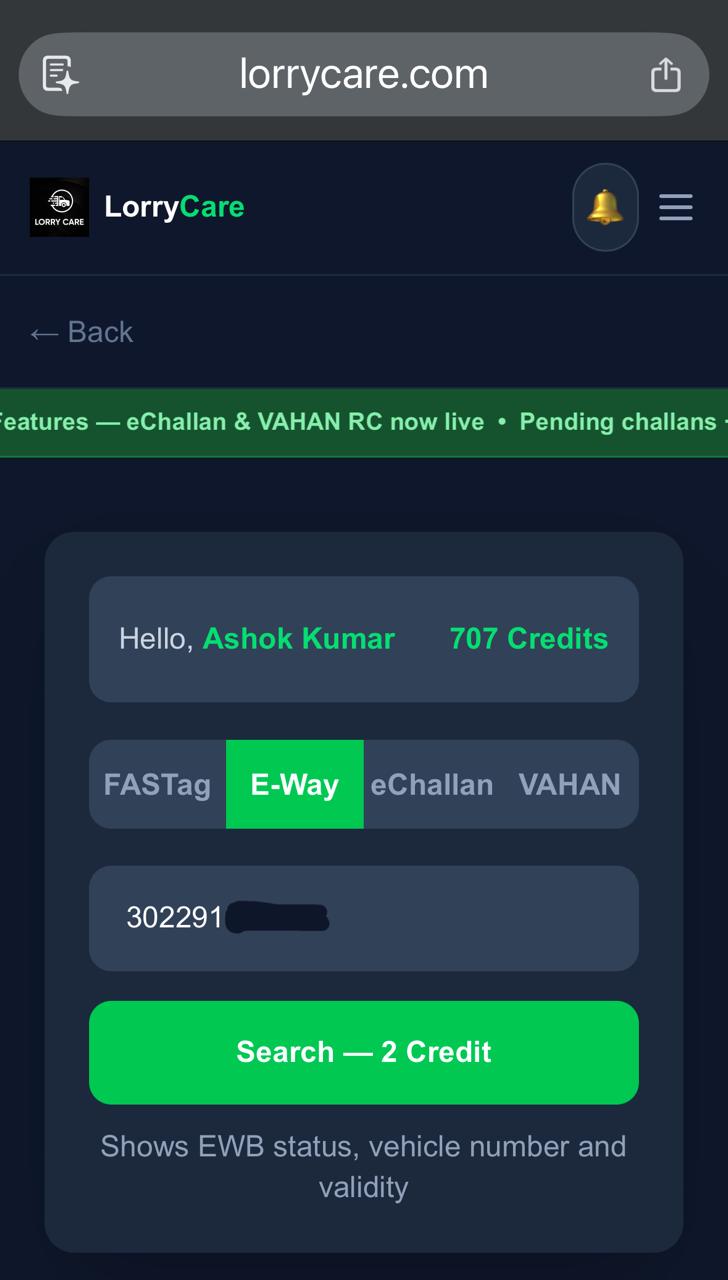
Enter the 12-digit Ewaybill number
Switch to the EWB tab, type the EWB number and tap Search — 2 credits. Re-opening a bill you already paid for is always free; “Get fresh data” re-checks the same bill for 2 credits.
STEP 2
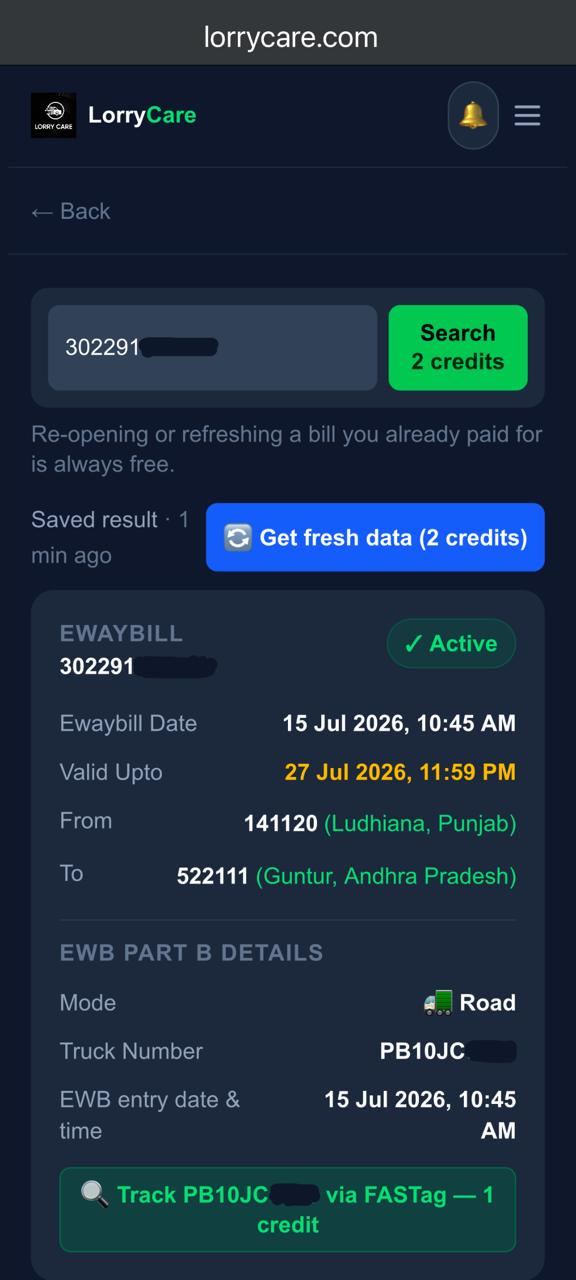
Everything on one card
Status (Active/Expired) · EWB date · Valid Upto highlighted so extension deadlines never surprise you · From and To with places · and the Part B details: transport mode, the truck currently assigned, and when it was entered. If Part B shows no vehicle, the transporter hasn’t updated it on the GST portal yet.
Spot the bridge at the bottom: “Track [vehicle] via FASTag — 1 credit” jumps straight to that truck’s toll crossings.
Frequently asked questions
Do I need a GST login?
No — just the Ewaybill number.
Part B shows no vehicle?
The transporter has not yet updated the vehicle on the GST portal — check again later, or set up automatic tracking and LorryCare watches it for you.
Can I track the truck on the Ewaybill?
Yes — one tap on “Track via FASTag” shows the truck’s toll crossings, or set up automatic Ewaybill tracking with location and validity in every update.
What does it cost?
2 credits per check; new users get 10 free credits on registration.
Trusted by 10,000+ transporters, fleet owners and logistics teams across India