How to Set Up Automatic Ewaybill Tracking on WhatsApp
Track a consignment by its Ewaybill: LorryCare watches the EWB and sends updates on WhatsApp or email, once or twice daily — where the truck carrying your goods last crossed a toll, AND the EWB validity in every update, so expiry never catches you by surprise. If the transporter changes the vehicle, tracking follows the new truck automatically.
Start EWB Tracking →Register free • Get 10 credits • No credit card required
Step-by-step setup (30 seconds)
STEP 1
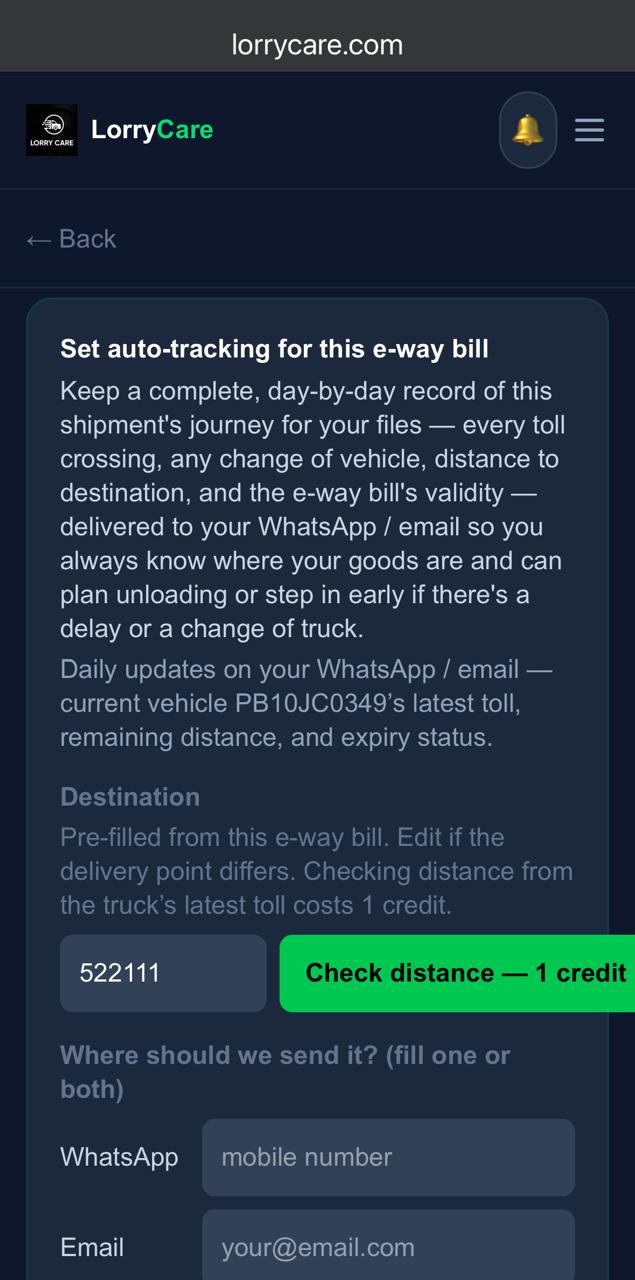
Tap “Set auto-tracking for this ewaybill”
Right on the Ewaybill result. The destination comes pre-filled from the bill itself — edit it if the delivery point differs. Optional: “Check distance — 1 credit” shows how far the truck still has to go.
STEP 2
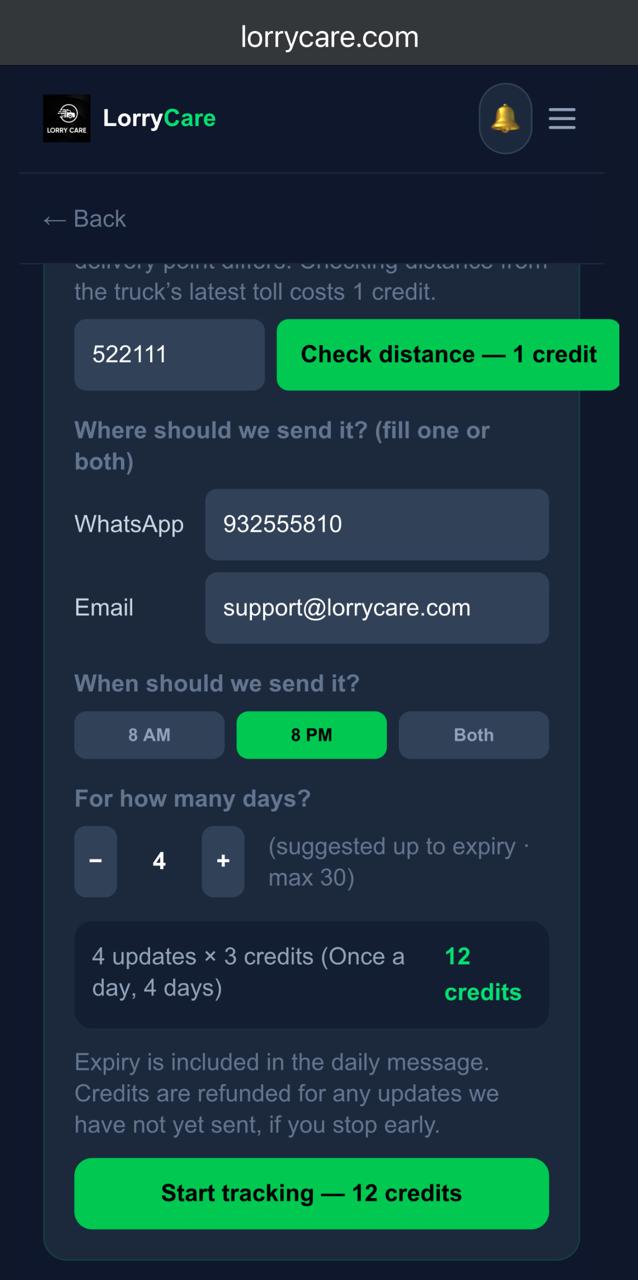
Choose where, when and how long
Fill WhatsApp, email, or both — and here’s the trick transporters love: enter your consignee’s number or email here and the updates go to them directly. Pick 8 AM, 8 PM or both, and the days (suggested up to expiry, max 30). The credit total updates live: 3 credits per update.
STEP 3
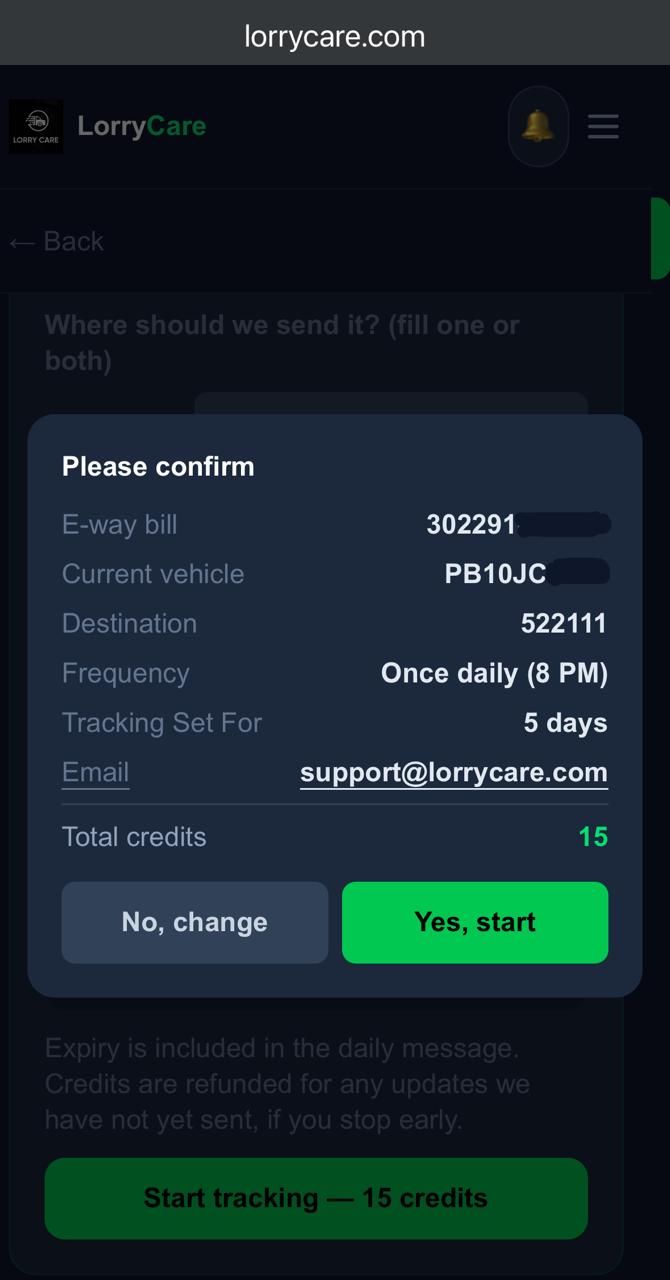
Confirm
Everything on one card — bill, current vehicle, destination, frequency, days, channel — and the total credits before you commit.
STEP 4
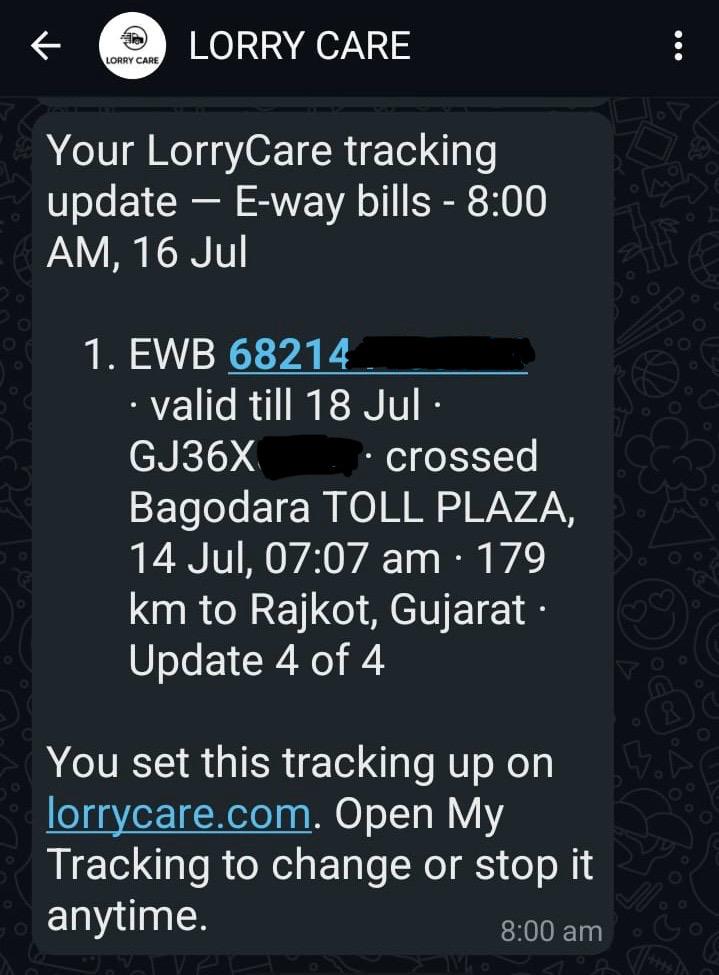
Updates arrive — location and validity together
Every update: the EWB and its validity, the current truck, the latest toll crossed, the remaining distance to destination, and the “Update N of M” counter.
STEP 5
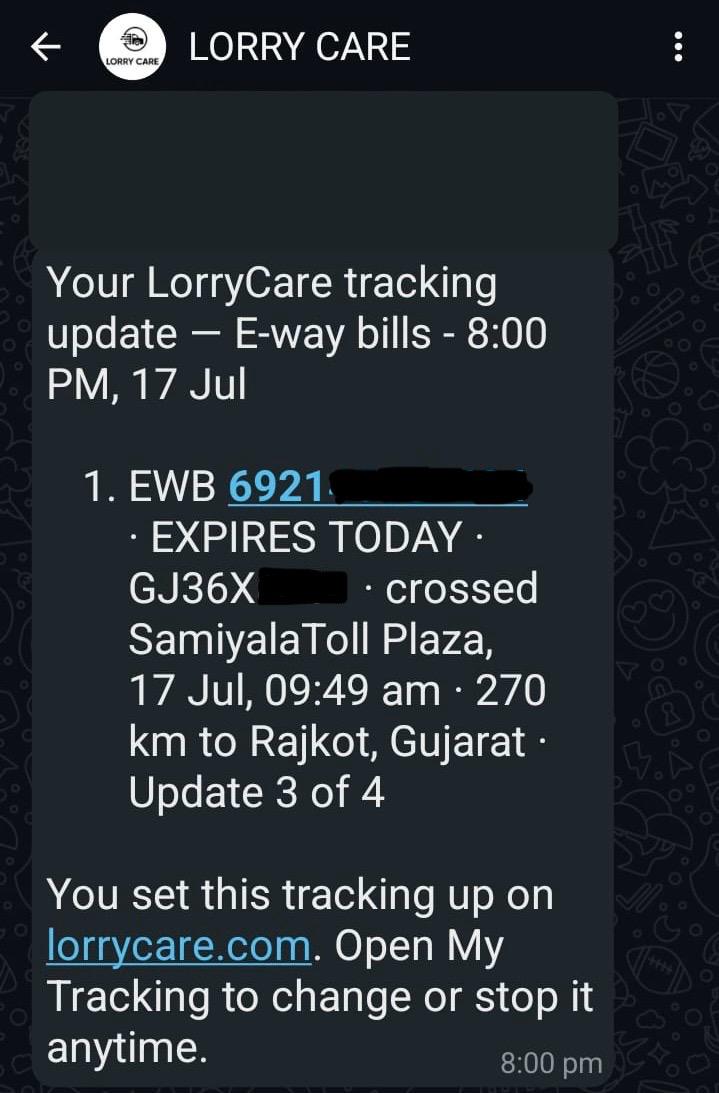
Expiry warnings, loud and clear
As the deadline nears, the update says it plainly — “EXPIRES TODAY” — so you extend in time and avoid penalties.
Frequently asked questions
What if no vehicle is assigned yet?
You still get your update with the EWB validity; once the transporter assigns a truck, location joins automatically. Waiting updates (no truck yet) are charged 2 credits instead of 3.
What if the goods move by rail?
FASTag lives on road vehicles, so when the system detects the shipment moving by rail, the tracking ends and the remaining credits are refunded to you automatically.
The vehicle changed mid-journey?
Tracking follows the new vehicle automatically — and your journey record keeps the crossings of every vehicle on the bill.
Can I stop early?
Anytime — unsent updates are refunded instantly. See the manage guide below.
Trusted by 10,000+ transporters, fleet owners and logistics teams across India